From Paper Sign-In Book to Digital Visitor Management: A Practical Switch-Over Guide
How to replace a paper visitor sign-in book with digital visitor management, step by step.
 Mitchell BourneManaging Director
 - Published
- 10 min read
A paper sign-in book is a decent record of who came through the door. It is a poor answer to who is inside the building right now, which is the only question that matters when the alarm sounds. This guide is for the facilities manager, building manager or site operations lead replacing a visitor book at a reception or a gate, within a month and without a gap in the record.
The worked examples come from two places: an office building in property and facilities management, with a lobby and a service entrance, and a distribution centre in transport and logistics, with a gatehouse. Under the model WHS laws, in force everywhere except Victoria, the duties a register helps you meet sit with every business at the workplace, and some sit with whoever manages or controls it;1 PCBU responsibilities for property owners and FM companies sets them out . The whole plan fits on one page: download the switch-over checklist as a PDF.
What Does a Paper Visitor Sign-In Book Miss?
It misses who is inside now. A book records arrivals well and departures badly. People leave without signing out, and a row with no exit time looks the same whether the person left at 10am or is still in the building at 4pm.
It misses the evacuation. Safe Work Australia says an emergency plan has to be tailored to the workplace, considering its workforce: employees, contractors and others, including visitors.2 That guidance sits under regulation 43 of the model WHS Regulations, in force everywhere except Victoria.1 Victoria runs its own Act, which this guide does not cover.3 A book at reception cannot be carried to the assembly point by the person running the evacuation, and a building with a second entrance has a second book, or none. Take a 12-level commercial property with a lobby desk and a service entrance on the lane. A lift technician, working for the landlord's maintenance contractor, signs a clipboard at the service entrance at 8:40am; the fire panel test sounds the alarm at 10:15am. The warden at the assembly point holds the lobby book. The technician is in the lift motor room on the roof, on a list nobody at the assembly point has.
It misses what the person is cleared to do. The book records a name and a company, so it cannot know that a contractor's licence lapsed last Friday, or that nobody has shown this visitor the site rules.
It shows each visitor's details to the next one. In May 2020 the Office of the Australian Information Commissioner (OAIC) told businesses collecting contact-tracing details not to put names and phone numbers in a book where customers may see them.4 That guidance was written for contact tracing, but an open visitor book makes the same mistake every day: each visitor reads the entries above their own.
What a Digital Visitor Register Should Do.
A digital register is worth having only if it closes those gaps. The table sets each gap against the job to be done.
| What the paper book misses | What the digital register should do |
|---|---|
| Who is inside now | Keep a live list of everyone signed in and not yet signed out, visitors and contractors together |
| The evacuation | Put that list on a phone, so the warden or supervisor holds it at the assembly point |
| Expired licences and missing induction | Check contractors at sign-in, show visitors the site rules, and record what was shown |
| Details visible to the next visitor | Collect details on the visitor's own screen and limit who can read the register |
| Walk-outs with no sign-out | Sign out by the same mobile number, and let a supervisor close the gaps |
Two more demands belong on the list: rules per door, because reception welcomes visitors and a plant room should not, and a message to the host within seconds, so no visitor waits at an empty desk.
Visitors, Contractors & Workers Need Different Sign-In Rules.
The most common design fault is one flow for everyone. A visitor is hosted and passing through, and needs the site rules. A contractor's worker is doing work, and needs their licence and induction to hold before they start. Put contractors on the visitor flow and nobody checks them; put visitors through the contractor flow and they give up at the third screen.
Take a distribution centre gatehouse on a Tuesday. A customer's quality auditor is a visitor. A pest-control technician and a refrigeration crew are contractors, and the crew's work needs more than a signature. A carrier's driver is a third group, described in carrier compliance software for transport and logistics. All belong on one live list, because the evacuation does not care why they came, but they should not share one set of questions.
Decide before you buy what happens when a contractor fails the check: the system blocks them, warns them, or lets them in and tells you. Write down who may override it. The contractor management process, stage by stage sets out how clearance is built before anyone arrives, and training and induction covers the site-specific part.
QR Code or Kiosk: Choose by the Door.
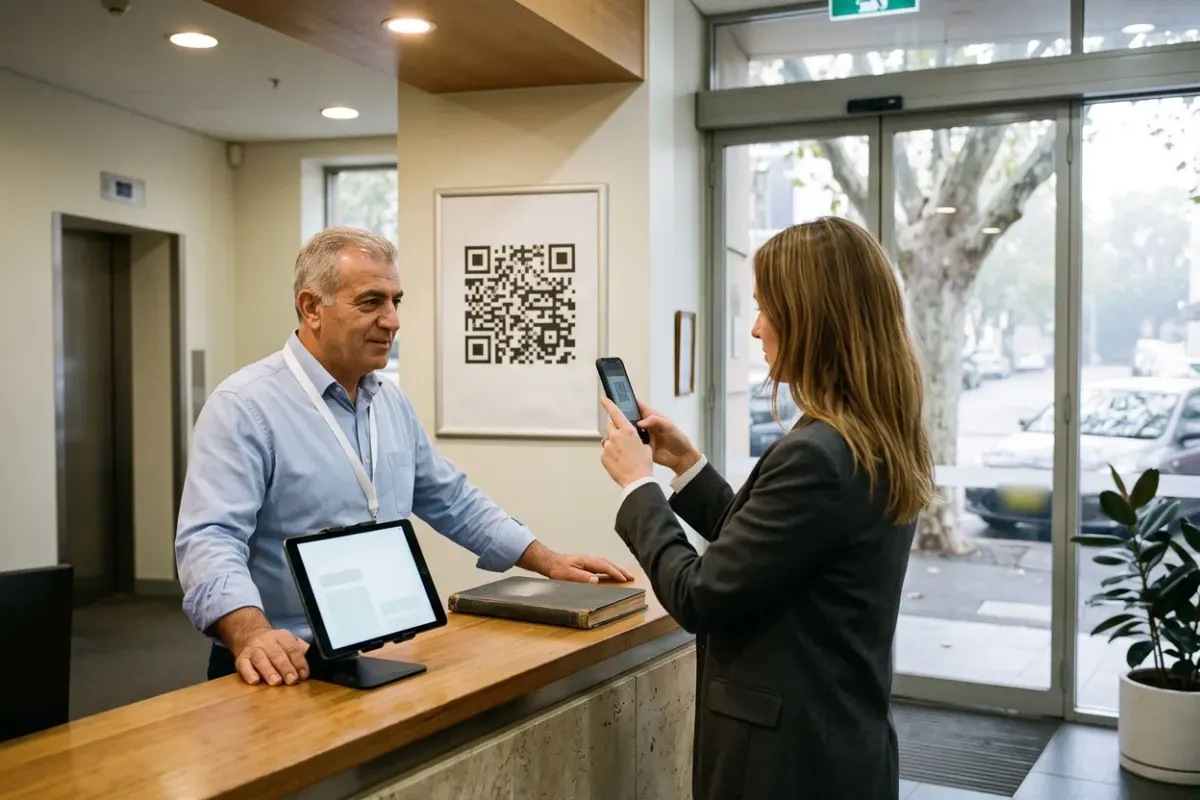
A QR code poster costs almost nothing and uses the visitor's own phone. It suits an unstaffed gate, a service entrance and after hours, and needs signal where it hangs. A kiosk is a tablet on a stand at the counter. It suits a staffed reception, and needs power, Wi-Fi and someone who notices when it is unplugged.
A kiosk is only as good as its lockdown. The kiosk setup guide in our Help Centre says the tablet should be dedicated to sign-in, on reliable Wi-Fi with power, with notifications switched off, and locked to the sign-in page with Guided Access on an iPad or app pinning on Android.5 A kiosk visitors can swipe out of is a tablet on a stand.
At the distribution centre, put the QR code at cab-window height on the gate post, with a tablet in the gatehouse for visitors on foot.
Some visitors will not use a phone. A tablet at the counter removes the need for one, and a host who walks the visitor through the first screen teaches them the system. Keep a printed fallback sheet for the rare person who cannot or will not, and for any outage, and enter it into the register the same day.
How Do You Switch From Paper to Digital in 4 Weeks?
Run it as 4 weeks, 1 week for each phase, with a gate at the end of each.
Week 1: decide and baseline. List every door where a person can enter and which book, if any, sits there. Decide which doors take visitors, which take contractors, and which take both. Collect less than the paper book did: name, company, mobile, host, time in and time out is usually enough. Write the notice for the sign-in screen and poster: what you collect, why, who can see it, how long you keep it, and who to ask. If the Privacy Act applies to your organisation, the Australian Privacy Principles require reasonable steps to tell people why you collect their details and who you usually share them with,6 and to protect what you hold.7 They also require reasonable steps to destroy or de-identify records you no longer need, unless a law requires you to keep them, so set the retention period now.7 A business is generally outside the Act if its annual turnover was AU$3 million or less, but not if it has been over that in any financial year since 2002, is related to a larger company the Act covers, or meets another exception.8 Then baseline the paper book: count 1 week of entries, how many have an exit time, and how long it takes to list everyone inside.
Week 2: pilot one door. Pick the busiest door with a host on site. Create the sign-in point, print the QR code, set up the kiosk, load your hosts with working mobile numbers and test it with your own staff. Add scheduled visits, such as a booked auditor, ahead of arrival if your system supports it. Then run the door with the paper book alongside: everyone signs digitally first, and reception writes in the book only if the system failed.
Week 3: every other entrance, each with its book alongside. Roll the same set-up out to every remaining entrance, the service entrance and the gatehouse included, and leave each entrance's book or clipboard in place. In the office building, that is the service entrance on the lane where the lift technician signs a clipboard. At the end of the week, compare each book with the register: every paper entry should have a digital twin, and any that does not shows where that entrance's flow is failing. The pilot door has run 2 weeks beside its book, every other entrance 1.
Week 4: drill and retire. Run an evacuation drill using the live list at the assembly point, and time it against your baseline. Fix what the drill shows, then swap every book for the fallback sheet.
What to Automate, & What a Person Should Still Decide.
Automate whatever should be the same every time: telling the host, filling in details for people already on record, showing the site rules and recording what was ticked, repeating the induction when it falls due, signing out by the same number, applying each door's rules, and producing the export.
Leave the judgement with a person. A person decides to evacuate, and a person counts heads at the assembly point against the list. A person decides whether to override a failed check, and the override is recorded against their name. A person decides who may act as a host, and what to do about someone with no host and no reason to be there. The register keeps the evidence, and the person keeps the decision.
How the Switch-Over Looks in ComplyFlow.
ComplyFlow's visitor sign-in uses the same sign-in points as its worker sign-in, so visitors, staff and contractors land on one list. A visitor scans the point's QR code or enters their mobile number on a kiosk tablet. The kiosk checks the number against staff and contractor records; on a match it pre-fills the name, mobile and company, and anyone else types their details. The visitor picks their host from a type-ahead search, the host gets an email and, with a mobile on file, a text, and the visitor signs out later with the same number at any kiosk screen.9 Each point can block visitor sign-in, and can show an induction and conditions to tick, or require an SMS code.1011
Workers and contractors sign in at the same point. A worker whose clearance does not cover the location cannot sign in until it is fixed, unless the site allows Sign in Anyway, and using that override notifies the client.12 The Live Access dashboard lists signed-in staff, workers and visitors, with list and map views, manual sign-out of staff and workers, and a CSV export;13 the site access page describes the roll call. Staff and contractors can use the Live Access app; visitors do not need it.
Common Mistakes in the Switch-Over.
- Copying the paper columns. More fields slow every visitor down. Keep the ones you use.
- Leaving the book on the counter. Two registers means two versions of the truth. Retire the book at the end of week 4.
- Loading hosts with wrong numbers. Check each host's mobile before go-live.
- Skipping sign-out. A list full of people who left days ago is one nobody trusts. Make sign-out part of the host's walk to the door.
- Never drilling. A roll call that has not been tried is a hope. Run one in week 4 and again after the first quarter.
How to Measure Whether the Switch Worked.
Measure against the paper book you are leaving, using the baseline from week 1. Five measures are enough.
The first is time to a complete list, from the start of a drill to the warden holding it. The second is sign-out completeness: the share of sign-ins in the register export with a sign-out time, against the same count from the book. The third is the time from a visitor's arrival to their host being told. The fourth is the share of contractor sign-ins already cleared on arrival. The fifth is paper entries after the cut-over, which should be zero apart from outages.
Time the sign-in with a stopwatch on 10 visitors in week 2 and again in week 4, and review the 5 measures monthly for the first quarter. The payoff: when the alarm sounds, the warden holds a list of everyone inside, and nobody relies on a book at a desk they cannot reach.
Sources
- Legislation
- Emergency plans and procedures: overview
- Occupational Health and Safety Act 2004 (Vic)
- Guidance for businesses collecting personal information for contact tracing
- Setting Up the Kiosk Device
- Chapter 5: APP 5 Notification of the collection of personal information
- Chapter 11: APP 11 Security of personal information
- Small business
- Using the Sign-In Kiosk
- Live Access Sign-In Options: Confirmation Sets, Site Inductions and Site Documents
- Adding a Sign in Point (Location)
- Signing In & Out of the Live Access App
- Live Access Dashboard
See It Against Your Own Contractors, Sites & Rules.
Book a 30-minute demo. We will show ComplyFlow working with your kind of sites, your kind of contractors, and your requirements. No slides, no hard sell.
Or Speak to Us
- ISO 27001
- Hosted on AWS
- Microsoft & Okta SSO
- API & MCP
- Data in Australia
Written by
Mitchell BourneManaging Director, ComplyFlow
Mitchell has run ComplyFlow since 2009 and has spent that time inside the contractor, site, and safety problems of Australian operators. He writes about where compliance actually fails, and what the people responsible for it can do about it.
Writes about: Contractor compliance, WHS duty and proof, Running a compliance program
Questions
Questions People Ask About This.
Do visitors have to download an app to sign in?
Not with a QR code sign-in. The visitor scans the poster with their phone camera and the sign-in opens in the browser; a kiosk tablet at the counter means no personal phone is needed at all. Ask any vendor to show you both, with a visitor who has never used the system, before you sign anything.
How long should a business keep visitor sign-in records?
Decide it before go-live and put it in the notice on the sign-in screen. For an organisation the Privacy Act covers, APP 11.2 sets the outer limit: once the details are no longer needed for any purpose the Principles allow, it must take reasonable steps to destroy or de-identify them, unless an Australian law or a court or tribunal order requires it to keep them (OAIC, page last updated 3 October 2025). The OAIC says most small businesses, those with annual turnover of AU$3 million or less, are outside the Act, but some are covered, among them a health service provider, a business related to a larger one the Act covers, and one whose turnover has been over AU$3 million in any financial year since 2002 (read 6 October 2026). The purposes here (an incident investigation, an insurer's question, a dispute about who was on site) are yours to name, so name them, set the period to match, and take advice if you are unsure whether the Act applies to you.
What happens when the internet is down at the gate?
Keep a printed fallback sheet at each entrance and enter it into the register the same day. Whatever system you choose, test it at the entrance on a day when the signal is poor rather than in the office, and ask the vendor to say in writing what happens with no signal.
Should contractors sign in on the visitor kiosk?
No. A contractor's worker has licences, inductions and insurance that matter before they start work, and a visitor flow has no way to check them. Contractors and their workers should sign in at the same point as visitors but through the worker flow, so the system can check the person against what the site requires and show them on the same live list.
Can we keep the paper book as a permanent backup?
Keep a blank fallback sheet, not the book. A book left on the counter after the switch becomes a second register that someone fills in out of habit, and from then on there are two records that disagree. Retire the book at the end of week 4 and store it, sealed, for as long as your retention decision says.