Rolling Out an Inspection App: From Paper Checklists to Closed-Out Actions
How to move from paper checklists to an inspection app that closes out actions, starting with one site.
 Bart CrowtherDirector of Sales
 - Published
- 10 min read
Most inspection apps are bought for the checklist and judged on the action. A team swaps the clipboard for a phone, runs the same 60 questions it always did, and six weeks later the failed items are still sitting in the app with nobody's name on them. This guide is for the facilities manager, operations lead or safety manager who has picked an app, or is about to, and wants the first 90 days to end with closed actions.
Choosing an app is covered in How to Choose a Site Inspection App, and the products themselves in Best Free Inspection Apps for Small Teams. This guide starts after the purchase. The worked examples are an FM provider walking plant rooms and roofs across a commercial property portfolio, in property and facilities management, and a distribution centre doing a weekly racking and fire-door walk, in transport and logistics. They are illustrations, not customers. The whole method fits on two pages: download the checklist-design template as a PDF, or take the CSV version, laid out as category, question and instruction, with each question numbered in walking order.
Which Inspections Should Move to the App First?
Move one. Choose it on four tests: it repeats on a fixed cycle, more than one person does it, it happens at a site you can reach, and the paper version already annoys the people who fill it in. A weekly warehouse walk passes all four. An annual asset survey fails the first and a one-off handover inspection fails the second, so neither teaches you anything in 30 days.
The second test matters most. Two inspectors answering one list is the only way to see whether your questions are clear, and that is the main thing a pilot has to find out. Use one site, one template and no more than 4 inspectors, and widen only after day 30.
Leave the inspections with their own rules until later: vehicle pre-starts, plant checks tied to operator tickets, anything a regulator reads. Each deserves a separate pass, and What a Digital Vehicle Inspection Has to Record covers the first of them. What we recommend: start with the inspection your people already do most often, because frequency gives a short pilot enough repetitions to judge.
Fix the Paper Checklist Before You Copy It.
A paper checklist survives on the inspector's memory. The technician knows that 'HVAC' means filters, belts and the condensate tray because they have walked that plant room 40 times. An app has no memory, so a vague question typed in as it stands is just as vague on a phone, and a new starter or a contractor will answer it differently.
Take last year's completed paper forms and sort the questions into three piles: items that failed and led to work, items that always pass, and items nobody understands. Keep the first. Merge or cut the second unless it guards a serious hazard. Rewrite the third. Safe Work Australia's code of practice on managing risks suggests using a checklist designed to suit your workplace and keeping the list of hazards you find so it can be updated at the next inspection.1 That is guidance, and the design is yours.
How Do You Write Checklist Questions People Answer the Same Way?
Write each question about one thing an inspector can see, measure or try, and say in the instruction what a pass looks like. Each item needs a category, a question and an instruction, and the instruction is where the standard lives.
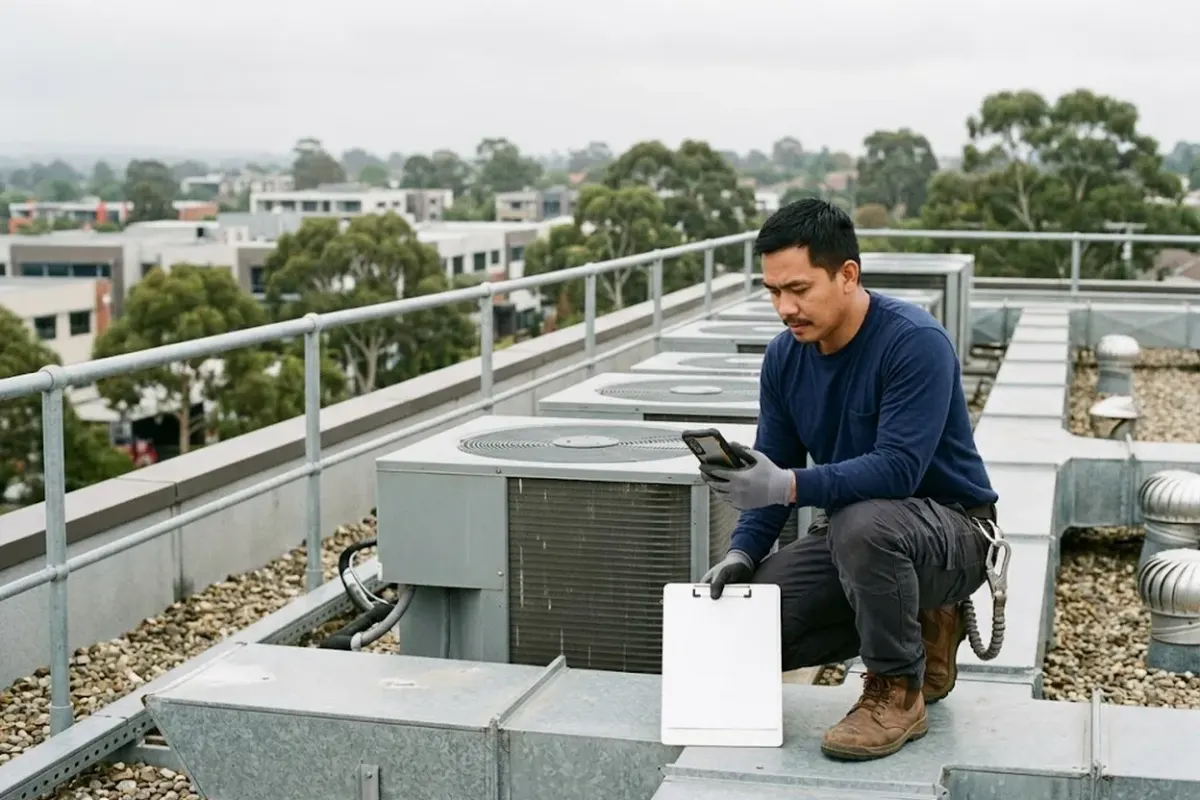
Take the FM plant room. 'Roof access' becomes 2 questions: 'Roof hatch opens, closes and latches without force' and 'Anchor point tag is legible and its inspection date has not passed'. At the distribution centre, 'Racking OK?' becomes 'No visible impact damage to the base uprights in this aisle' and 'Beam locks fitted on every loaded level in this aisle'. Words like adequate, satisfactory and good condition are where inspectors part ways.
Four more habits are worth building into every template:
- Order by the walking route. In the template builder, questions appear alphabetically unless you number them, so number them in the order someone walks the site.2
- Keep not applicable honest. It means the item does not exist here, not that it was not checked. Review how often each question is marked N/A at day 30.
- Photograph the fail, not the pass. A photo shows the fixer what you saw; a photo of every pass is noise.
- Start with pass, fail and N/A. Add a score later if a decision needs one.
If a walk takes more than about 20 minutes, split it into two templates by area. That is our rule of thumb, not a published figure, but a long list is where inspectors start ticking down a column.
Assign by Role & Keep the Rhythm Paper Had.
Assign the inspection to a role rather than a name, so a rostered day off does not stop it. Overdue inspections should stay on the list, which is what you want.
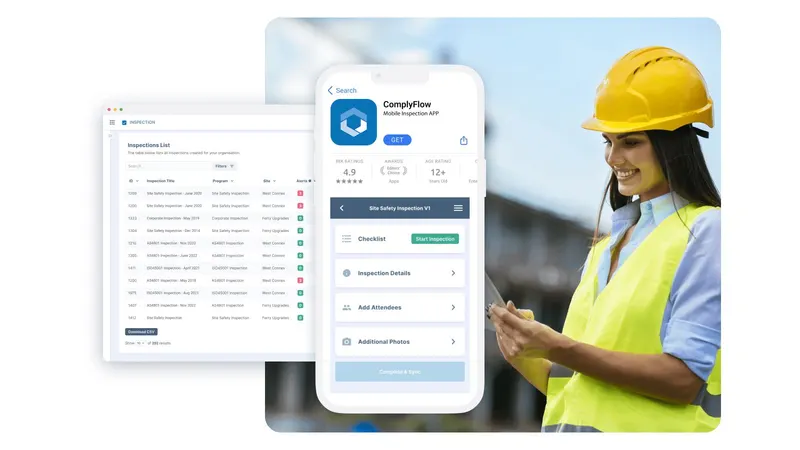
In ComplyFlow a scheduled inspection can go to named users or to a staff category, by site, on a repeat interval such as every month or every 3 months, and each one shows as Pending, In Progress, Finished or Overdue.3
For the pilot, copy the paper cycle exactly and change nothing else. Frequency by risk, who covers absences and what happens when one is missed are the subject of How to Build an Inspection Schedule That Holds. Changing the rhythm and the tool in the same month makes it impossible to tell which one caused a problem.
A Failed Item Becomes an Owned, Dated Action.
Agree the priority rule before anyone walks a site. A workable version has 3 levels: high means make it safe the same day and fix it within 7 days, medium means fix within 30 days, and low means fix at the next planned works. Those numbers are examples to replace with your own, but the rule has to exist, or every inspector invents a private one.
In ComplyFlow's Inspection app a cross opens the finding, a recommendation, the person responsible, a priority and a due date on that item.4 An administrator can limit the Person Responsible list to chosen staff categories, as long as those people are also assigned to the site.5
At the distribution centre, a damaged upright in aisle 14 is a cross, a photo, high priority, with the warehouse supervisor as owner and a rule that the bay is cordoned the same day until an engineer has looked at it. In the FM example, an anchor tag past its date is high priority with the building services manager as owner. The inspector does not fix either; they make sure the right person knows, by name, today.
Close the Loop: What 'Closed' Has to Mean.
Closing is the step where programs quietly fail, so define it. Our rule: an action is closed only with a comment saying what was done, the date it was done, and, for a physical fix, a photograph of the result. A partial is not closed at all.
Then review weekly, for 15 minutes, with the person who owns the site, looking at failed items with incomplete actions. Overdue actions get a conversation, not a reminder email.
In ComplyFlow's Inspection app the person closing an action adds an activity with a comment, the date of action and whether it is complete, partly complete or not complete, and can upload files.6
The Checklist Items view, filtered to failed items with incomplete actions, exports to CSV.7 The Help Centre also describes a CSV import for external inspection records, with columns for category, checklist item, finding, action required, recommendation and priority, so the paper binder's open items can come across on day one.8
The loop closes properly at the next inspection, when the same question is asked again. If it fails again, that is a repeat finding, and it is the most useful thing the app will tell you.
Why Do Inspectors Stop Using the App?
Usually because the app is slower than paper for them, and nothing visible happens when they report a fail. These are our recommendations, not measured results, and they fix four causes:
- It is slower than the clipboard. Cut the list. A shorter list than the paper one is the fastest way to win a sceptical inspector.
- Their fails vanish. Show inspectors the closed actions that came from their findings, once a week, so they see that reporting leads to something.
- A fail feels like blame. Say in writing that a fail is the job done well, and never rank inspectors by how many they raise.
- The device does not suit the job. Test it in gloves, in rain, on a shared tablet and in the plant room with no signal. ComplyFlow's own Inspection app page says the app runs checklists with no signal, holds the photos and findings on the device, and syncs when the connection returns.9
Let the inspectors edit the template in week 1 through whoever owns it. People defend a checklist they helped write. Then run paper and app side by side for 2 weeks, and name the day the paper stops.
What to Automate & What a Person Still Decides.
Automate everything that is chasing. The repeat schedule, the assignment to a role, the creation of an action from a cross, the notice to its owner and the report are all work no one should do by hand.
Leave four decisions with a person: whether an item is a fail, whether a high-priority hazard has actually been made safe, whether to accept a risk or close an action without a fix, and who may change a template or its pass standard. Software that chases the owner does not change who is answerable. AI sits on top of this foundation, and AI Inspection Apps: What They Change, and What They Do Not covers where.
Six Numbers for the First 90 Days.
The 2017 Safe Work Australia report on measuring and reporting gives, as example measures for inspections, the number or share of inspections done, the share reviewed to schedule, the number or share of non-conformances or improvements needed, and the share of corrective actions completed.10 Six numbers cover those and the rollout itself.
| Number | How to read it |
|---|---|
| Scheduled inspections done in the app | The adoption number. Anything short of every scheduled inspection at the pilot site means paper is still in use, so ask why. |
| Done on schedule | The share completed by the due date, not just completed. |
| Failed items per inspection | Expect it to rise in month 1. Judge the trend after 60 days, against your own paper baseline. |
| Failed items with an owner and a due date | Should be every one. Anything less means the priority rule is not being followed. |
| Days from raised to closed, by priority | Compare it with the rule you wrote. A high that takes 20 days is a finding about the process. |
| Repeat findings | The same item failing again at the same site within 90 days. This is the signal. |
No published Australian figure says how much failed items rise after a paper-to-app switch, so treat that row as a prediction to test.
Run One Inspection at One Site for 30 Days.
The whole rollout, in 3 steps over 4 weeks:
- Week 1: prepare. Pick the inspection, rewrite the questions, number them by route, write the priority rule and load the open paper items.
- Weeks 2 and 3: paper beside the app. For 2 weeks the inspectors walk with the phone and the paper form and compare the answers. Every mismatch is a question to rewrite. Run the weekly action review for the first time in week 3.
- Week 4: app only, then measure. Stop the paper on a named day. Read the six numbers at day 30, edit the template and decide whether to widen to the next site or the next inspection.
By day 30 you will know which of your questions are vague, which fails are repeating, and whether the people doing the work trust the tool. That is a better case for the second site than any vendor demo.
To see how ComplyFlow's inspections and audits handle the steps above, book a demo and bring your own paper checklist.
Sources
- How to manage work health and safety risks: Code of Practice
- Adding Inspection Templates
- Scheduled Inspections
- Mobile Application Inspections for Workers
- Assigning Person Responsible via Staff Categories (Configuration)
- Closing Out Actions
- Inspection Checklist Items Menu
- Import Inspections - Upload CSV
- Inspection app
- Measuring and reporting on work health and safety
See It Against Your Own Contractors, Sites & Rules.
Book a 30-minute demo. We will show ComplyFlow working with your kind of sites, your kind of contractors, and your requirements. No slides, no hard sell.
Or Speak to Us
- ISO 27001
- Hosted on AWS
- Microsoft & Okta SSO
- API & MCP
- Data in Australia
Written by
Bart CrowtherDirector of Sales, ComplyFlow
Bart leads sales at ComplyFlow and spends his week with the safety, procurement, and facilities teams deciding how to manage contractors. He writes about what buyers ask, and what separates a system that gets used from one that gets ignored.
Writes about: Choosing a compliance system, Rollout and adoption, What buyers ask
Questions
Questions People Ask About This.
How do you roll out an inspection app to field crews without killing productivity?
Keep the first inspection short, cut every question nobody acts on, and run paper beside the app for 2 weeks so no one is caught between them. Then stop the paper on a stated date. Productivity drops when a crew is asked to complete both, or to answer 60 vague questions on a small screen; it recovers when the list is shorter than the paper one was.
Should every checklist item need a photo?
No. Ask for a photograph on a fail, where it shows the person fixing it exactly what you saw. A photograph on every pass adds seconds to each item, fills the record with images no one opens, and teaches inspectors to rush. Add a photo to a pass only where an auditor would ask to see it, such as a fire door closing properly.
Do you need to score inspections from day one?
No. Start with pass, fail and not applicable. A weighted score invites an argument about the weights before anyone trusts the data. Add one after the first quarter, and only if a decision depends on it, for example ranking sites for a review.
How long should an inspection app pilot run?
30 days is enough if the inspection repeats at least weekly, because by then each question has been answered by every inspector several times. A monthly inspection gives you only one pass in 30 days, so run it through 2 cycles, or pilot a weekly walk instead and move the monthly one second.
Can you bring open items from the paper binder into the app?
Yes, if the app can import them. ComplyFlow's Help Centre describes a CSV import for external inspection records, with columns for category, checklist item, finding, action required, recommendation and priority. Load the open items before go-live so nothing falls out of sight on day one.