How AI Should Be Used in Contractor & Permit Software: A Practical Guide
Where AI belongs in contractor and permit software, and where a person should still decide.
 John McCannHead of Product
 - Published
- 10 min read
Most buyers ask the wrong question about AI in contractor and permit software. They ask how accurate it is, when the more useful questions are what job it has been given and who answers for the result. This guide is for the safety manager, WHS manager or facilities manager who has been offered AI review in a contractor or permit system and has to decide where it goes, where it stops and how to prove it works before anyone relies on it.
The worked examples are a facilities provider approving roof and plant-room work across a commercial portfolio, in property and facilities management, and a distribution centre that lets outside trades work beside live aisles, in transport and logistics. They are illustrations, not customers. The questions to put to any vendor are on two pages: download the vendor-question checklist as a PDF, or take the CSV version.
What Is AI Good for in Contractor & Permit Software?
Three jobs: reading, cross-checking and flagging.
- Reading means testing a certificate, licence, safety plan or method statement against criteria you wrote, so the first look at a long safety plan is a list of what it covers and what it leaves out.
- Cross-checking means comparing what a document says with what someone typed, such as the expiry date read off a certificate against the date entered, so a mistyped year shows up at upload and not at the gate.
- Flagging means telling the person who submitted it, in plain words, what would fix each gap.
That last job is the one buyers undervalue. A contractor who sees the gaps before submitting sends a better document, so the reviewer reads a better document.
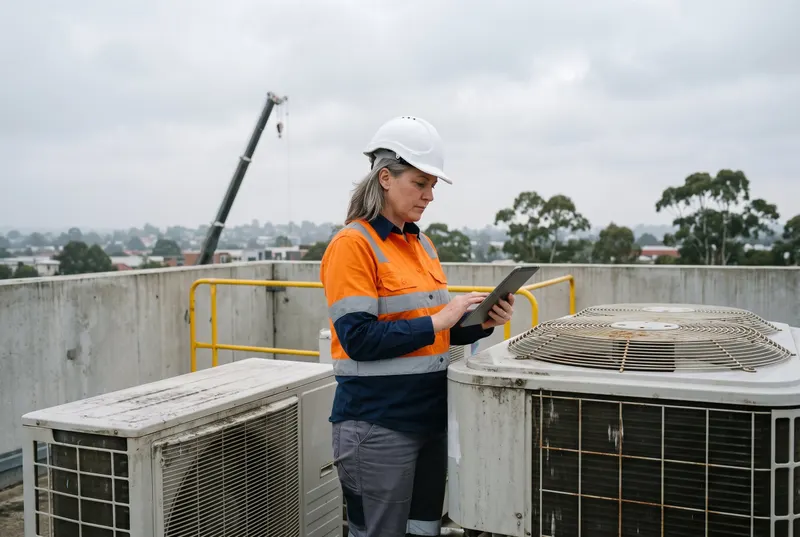
At the facilities provider, a roof access permit arrives with a method statement for work near an unprotected edge. The contractor chooses to run the review, and the AI reads it against the criteria for that permit type and marks two as Partial: no rescue arrangement, and no named person responsible. The contractor fixes both before the supervisor opens it. Had they not run it, the supervisor would have found the gaps by reading.
Review is the safe place to start because its output is mostly advice. A score, a Pass, Partial or Fail beside each criterion and a reason change nothing on their own, and the one thing it fills in, such as an expiry date read off a certificate, is shown to a person to confirm or correct. We would not let one tool both prepare and judge the same document.
Where a Person Decides, Whatever the Score Says.
Keep three kinds of decision with a named person:
- Approvals. An approval puts someone on site, and the AI's grade is one input to it; the approver should be able to say in a sentence why they agreed.
- Overrides. An override is anyone choosing to proceed against a failed criterion, such as letting a contractor start with an insurance certificate that expires in 9 days. It needs someone with the authority to accept that risk, and a reason on the record.
- Incident outcomes. An incident outcome is how an event is classified, who is told and what the investigation concludes. It turns on people and context that no uploaded document holds.
Name that person by role for each permit type and document type, so a rostered day off does not leave a gap. The Australian Government's Guidance for AI Adoption asks for the same thing in its first practice: make a specific person accountable for every AI system you use.1 More on that: AI in Workplace Safety: Uses, Limits & the Law.
| Task | What the AI can do | What a person decides |
|---|---|---|
| Insurance certificate | Reads the insured name, limit and period against your criteria, and compares the expiry with the date typed | Whether a shortfall is acceptable for this job |
| Method statement on a permit | Marks each criterion Pass, Partial or Fail, with the reason | Whether the work may start |
| Failed or expired item | Flags it and tells the contractor what is missing | Whether to waive it, stop work or escalate |
| Incident | Summarises the records you already hold | Classification, notification and findings |
How Do You Set Criteria an AI and a Person Read the Same Way?
Write each criterion as one test that two people would mark identically. 'Adequate insurance' fails that test. 'Public liability cover at or above the minimum in your contractor standard, for the whole period of the work' passes it. Four habits make the rest of the set work:
- One test per criterion. 'Names the isolation point and who confirms it' is two tests, and a method statement that has one of them gets a muddy mark.
- Define Pass, Partial and Fail in words. Partial might mean present but not specific to this task, so a generic 'work at heights' paragraph earns a Partial.
- Say which criteria must pass. A score out of 100 averages everything, so a missing rescue plan can hide behind good marks elsewhere. Weight the criteria that matter and treat a Fail on any of them as a stop for the reviewer, whatever the total.
- Put your local rules in. State, site and client standards belong in the criteria. A generic set gives a generic review.
At the distribution centre, a dock leveller repair permit might carry four criteria: the lock-out point is named, the exclusion zone around the bay is described, one person confirms isolation, and forklift traffic is stopped before work starts. Each one can be read straight off the page.
Most platforms can draft a first set of criteria from a document type; edit it rather than accept it. Then show the criteria to contractors up front, because a contractor who knows the test writes to it.
Run the AI Beside Your Reviewers Before You Trust It.
Build a test set of 20 to 30 submissions you have already decided. It should hold:
- Real work from your own business. In property and facilities management that might be last year's roof access and plant-room permits; in transport and logistics, the contractor permits for a year of dock and racking repairs.
- Approved ones, rejected ones and the borderline one you argued over.
- A few you break on purpose: a certificate that expired yesterday, one issued to a different company, a method statement that is a blank template with a contractor's name pasted in, and a poor phone photo of a licence.
The number is our rule of thumb, not a published figure.
Run them all and keep a tally in four boxes. The AI passed and you passed. The AI flagged and you rejected. The AI flagged something you approved, which is noise. The AI passed something you rejected, which is a miss. Misses matter most, so set the pass mark before you run the test. For example, no misses on any must-pass criterion, and enough quiet that reviewers do not learn to ignore the flags.
Then run it live in shadow for 2 to 4 weeks, on the submissions where the contractor ran the review. During that time:
- Reviewers still read everything and record each disagreement with a reason, and a submission with no review is read in full as ever.
- Only when a criterion has a clean record should a reviewer read the assessment first, where there is one, and open the full document where it points.
- Run the test set again whenever you change a criterion, and ask the vendor to tell you when the underlying model changes.
The National AI Centre's guidance says to test before deployment and monitor after it, because a system that worked last month can answer differently today.1 The OAIC makes the same point about due diligence: it should not be 'set and forget'.2 How to test an agent before it goes live is covered in AI Contractor Prequalification: How It Works and What It Reviews.
What Should You Ask a Vendor About Your Data?
Contractor documents carry personal information: licence numbers, dates of birth, photographs and sometimes more.
The OAIC's guidance on commercially available AI products points buyers to checks on the vendor, such as whether it uses customer data for model training and which third parties can access what goes in and what comes out, and to one on their own side: what controls stop staff entering sensitive information where it should not go.2 Eight questions for the vendor cover the first kind, and the download has space for the answers and for the checks on your own side. They are worded to suit any vendor:
- Which AI model and provider reads our documents, and in which country?
- Is our data used to train or improve any model?
- How long are documents, inputs and outputs kept, and can we delete them?
- Who can see an AI review, and can it show anyone more than they could already open?
- Is the AI optional for the contractor, and does it block submission?
- Is every review logged with the criteria used and the reviewer's decision?
- What testing can you show us? The National AI Centre's guidance says to ask suppliers for proof.1
- How will you tell us when the model or the criteria library changes?
A good answer is specific: a named provider, a named country and a plain statement on training. Whichever vendor you choose, get the answers in writing and keep them with the contract.
How Do You Measure Whether AI Review Saves Time?
Measure before you switch it on, because an 'after' without a 'before' proves nothing.
- Before. Take 10 recent reviews and record four numbers: minutes a reviewer spends on a full read, rounds between first submission and approval, days from submission to approval, and the share sent back for something a reviewer could have caught earlier.
- After 30 days. Record the same four, plus three more: the share of submissions where the contractor ran the AI review, how often a reviewer disagreed with it, and what it missed that surfaced later, such as an audit finding or a contractor on site with a lapsed certificate.
Here is the arithmetic for the facilities provider, using assumed figures to replace with your own.
- It reviews 40 method statements a month and a full read takes 25 minutes, so reading costs 16 hours 40 minutes.
- The review is optional for contractors, so say they run it on 30 of the 40. On those 30, reviewers read the assessment first and open the full document only for failed criteria, and the average falls to 12 minutes; the other 10 are read in full as before.
- The month costs 10 hours 10 minutes, a saving of 6 hours 30 minutes, just under a working day.
The saving shrinks with the share contractors run, which is why that share is the first number to watch. If you want every submission to carry an assessment, that is a rule for your procedure, and it should say what happens to a failed criterion. If contractors also fix gaps first, rounds to approval should fall as well, and that is the number a contractor will notice.
None of those figures is a measured result, so be wary of any vendor who promises a return without asking for your volumes.
How ComplyFlow's AI Fits, and What Stays Optional.
ComplyFlow is contractor management software, and its AI sits inside the review steps above.
- AI Prequalification reviews a supplier's safety management system against 24 criteria in 6 areas, with a person reviewing every response.3
- AI Agents sit on a form question, so a contractor can choose to run the review up to 3 times before submitting and see a Pass, Partial or Fail per criterion; the wizard that builds an agent drafts criteria you can keep, edit, weight or add to.45
- AI Document Review checks a licence or certificate against its category's criteria on upload, reads the expiry date off it and lets the uploader correct it.6
- AI SWMS Review is an agent on a SWMS or permit form that reads the attached method statement against your criteria.74
ComplyFlow's sub-processor list names Anthropic Claude through Amazon Bedrock in Sydney for AI document review, with inputs and outputs not used for model training, as at 28 September 2026.8 It lists Google Gemini and Coassemble for other AI uses, and does not say which provider handles AI Agents, AI SWMS Review or AI Prequalification, so ask, as question 1 does.
AI review is optional for the contractor: the Help Centre says it does not replace human review and does not block submission.9 Where a contractor ran it, the approver sees the assessment beside the document; where not, the approver works without it. Either way, the approver decides. See digital permits and contractor management for the workflows.
Start With One Document Type.
Do not switch AI on across everything at once. Choose the document that costs your reviewers the most reading, write 5 criteria for it, test them on 20 past submissions, run in shadow for 2 weeks and measure. Widen only when the numbers hold. A reviewer who keeps the final word and a vendor who answers the eight questions in writing decide whether AI review helps.
To see these review steps on your own paperwork, book a demo and bring a method statement you have approved and one you rejected.
Sources
- Guidance for AI adoption: foundations
- Guidance on privacy and the use of commercially available AI products
- AI Prequalification Form - Standard (Level 1)
- Quick Start Guide: How Users Experience AI Review
- Release Notes 29-06-2026 AI Tools V2
- Release Notes 16-09-2026 P1: AI Document Review
- Quick Start Guide: Selecting and Configuring an AI Agent for Form Questions
- ComplyFlow Sub-processors
- AI-Powered Review in Forms
See It Against Your Own Contractors, Sites & Rules.
Book a 30-minute demo. We will show ComplyFlow working with your kind of sites, your kind of contractors, and your requirements. No slides, no hard sell.
Or Speak to Us
- ISO 27001
- Hosted on AWS
- Microsoft & Okta SSO
- API & MCP
- Data in Australia
Written by
John McCannHead of Product, ComplyFlow
John has led ComplyFlow’s product since 2021, including its AI document review, its AI agents, and its MCP server. He writes about what AI can and cannot be trusted to do in safety and compliance work, from building it.
Writes about: AI in compliance, Product and integrations, Data and reporting
Questions
Questions People Ask About This.
Can AI approve a contractor or issue a permit on its own?
It should not be set up to. An approval puts a person on site, and someone has to be able to say why they agreed. Let the AI grade and explain, and let a named approver decide. In ComplyFlow the AI assesses, a person approves, rejects or asks for more, and the one thing it fills in, the expiry date it reads off an uploaded document, is shown to the uploader to correct before submitting.
How many past submissions do you need to test an AI review?
20 to 30 is a workable start, as long as they include approved, rejected and borderline ones and a handful you have broken on purpose. Fewer than about 15 tells you little about misses. This is our rule of thumb. If one criterion matters more than the rest, add more examples that test that criterion.
What should happen when the AI and the reviewer disagree?
The reviewer's decision stands, and the reason goes on the record. Keep a tally by criterion. If the same criterion causes 2 disagreements in a month, the wording is probably the problem, so rewrite it and run your test set again before you change anything else.
Should you trust AI risk prediction and clash detection in permit software?
Treat them as prompts for a person, never as a gate. Document review reads a page against criteria you wrote, so you can test it on past submissions. Prediction and clash detection infer from data, so ask first what data they learn from and whether it includes yours, how often they raise a false alarm or miss a clash on sites like yours, what they do when unsure, and who must act on an alert. Then run them in shadow for a few weeks and compare with what happened. ComplyFlow's AI pages describe review, drafting and asking questions of your record, not prediction or clash detection, so this guide makes no claim about either for ComplyFlow.
Does AI review slow contractors down?
Not in ComplyFlow's design. A review takes 10 to 60 seconds, a contractor can choose to run it up to 3 times per question, and ComplyFlow's own guidance says it does not block submission, so they can submit without it or despite a low score. Judge it by whether the document that arrives is better.